Config & Debug
This chapter is for newcomers — quickly configure a set of suitable parameters. Follow the steps below:
Tutorial environment:
- Gaming mouse: 1000Hz / DPI 1600
- In-game sensitivity: 3.20
- Input device: Kmbox Net
Preparation
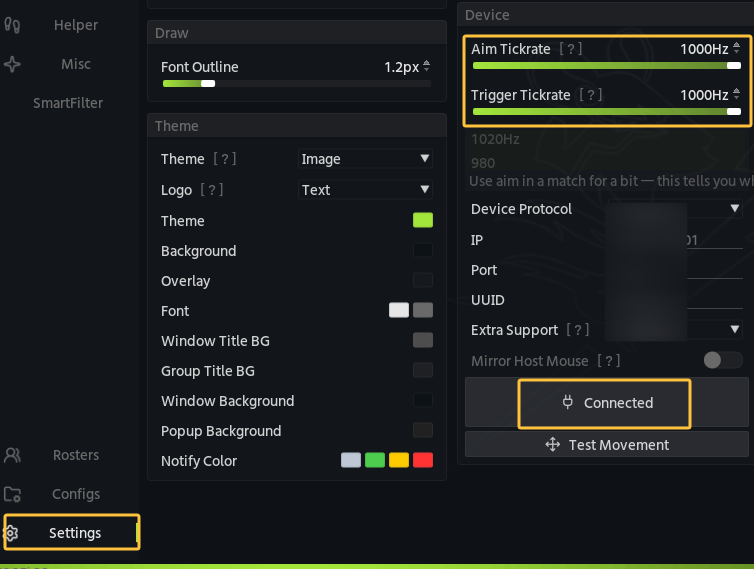
Go to menu User Settings → Input Device, set the aim / trigger frequency to 1000Hz, make sure the input device is connected, and confirm movement works normally:
Config steps
- 1. Aimbot: aim assist parameter settings
- 2. Trigger: trigger parameter settings
- 3. Grenade: grenade parameter settings
- 4. Weapons: per-weapon body part / no recoil tuning